
WiFi Solutions Whangārei: How to Get Better WiFi Coverage at Home

Patchy WiFi can make a good home feel frustrating. One room streams Netflix perfectly, another drops video calls, and the sleepout barely connects at all. For many Whangarei and Northland homes, the issue is not the internet plan itself. It is the way WiFi travels through the property.
Good WiFi coverage depends on your router, the layout of your home, wall materials, distance, interference, and the number of devices trying to connect. The right fix might be as simple as moving your router. In other homes, a mesh system, cabled access points, or long-range outdoor WiFi will give a much better result.
This guide explains the most common causes of poor WiFi at home and the practical options for improving coverage. It also explains when it makes sense to bring in local WiFi installers Whangarei homeowners can trust, such as Install IT, to assess the property and install the right setup.

Why WiFi coverage can be poor in Whangarei and Northland homes
WiFi is a radio signal. It gets weaker as it travels, and it struggles when it has to pass through dense materials or cover awkward spaces.
In Northland, many homes also have features that make WiFi harder to manage. Larger sections, detached garages, sleepouts, rural sheds, multi-level houses, and older building materials can all affect coverage.
Common signs of poor WiFi include:
Video calls freezing or dropping
Slow browsing in bedrooms or outdoor areas
Streaming buffering in one part of the house
Smart TVs disconnecting
Phones switching between WiFi and mobile data
Security cameras losing connection
WiFi working near the router but failing further away
If these problems happen in the same spots, you likely have WiFi dead spots rather than a broadband speed issue.
Common reasons your home WiFi does not reach every room
Before buying new equipment, it helps to know what is causing the problem. A faster internet plan will not fix poor WiFi coverage if the signal cannot reach where it needs to go.
Large homes need more than one signal source
A single router can only cover so much space. In a small, open-plan home, one well-placed router may be enough. In a large home, long hallway, extended floor plan, or property with additions, the signal often fades before it reaches every room.
The further a device is from the router, the weaker the connection becomes. Even if your device still shows one or two bars, the speed and reliability may drop sharply.
Thick walls and building materials block WiFi
Some building materials interfere with WiFi more than others. Concrete, brick, stone, metal framing, foil insulation, mirrors, and tiled wet areas can reduce signal strength.
Older Northland homes may also have layouts or wall materials that were never designed with wireless coverage in mind. If your router is on one side of several thick walls, the far side of the home may struggle to stay connected.
Multiple floors make coverage harder
WiFi does not always travel well between floors. A router downstairs may not give steady coverage upstairs, especially if the signal has to pass through timber, insulation, pipes, wiring, or concrete.
The same problem can happen in reverse. A router upstairs may leave the ground floor, garage, or outdoor areas with weak coverage.
Rural properties have extra distance challenges
Rural Whangarei and Northland properties often need WiFi across more than just the main home. You may want coverage in:
A detached garage
A workshop
A sleepout
A barn or shed
A gate camera
An outdoor entertainment area
A second dwelling on the property
Standard home routers are not designed for long-range outdoor coverage. They can also struggle when the signal needs to pass through exterior walls and travel across open ground.
Router location has a big impact
Many routers are placed wherever the internet connection enters the house. That might be a cupboard, garage, hallway corner, or behind the TV. Those locations are often poor choices for WiFi.
A router hidden low to the ground, boxed in, or surrounded by electronics will not perform as well as one placed in a clear, central position.
Too many devices can overload older equipment
Modern homes often have more connected devices than people realise. Phones, laptops, tablets, smart TVs, gaming consoles, security cameras, heat pumps, speakers, and smart home devices all compete for WiFi.
An older router may not manage many devices well, even if the broadband connection itself is fast.

Start with better router placement
The simplest WiFi improvement is often router placement. It costs nothing and can make a noticeable difference.
For better coverage, place the router:
Near the centre of the home
Off the floor, such as on a shelf or cabinet
Away from thick walls and metal objects
Away from microwaves, cordless phones, and other interference
In the open rather than inside a cupboard
As close as practical to the rooms where WiFi matters most
Try not to place the router behind the TV, inside a media cabinet, in the garage, or beside large appliances. These spots may be convenient for cabling, but they are not ideal for wireless signal.
If moving the router is difficult because of where the fibre or modem is installed, a networking specialist can often run cabling to a better location or install extra access points.
Mesh WiFi systems can suit many homes
A WiFi mesh system uses multiple units placed around the home. These units work together under one WiFi network name, so your phone or laptop can move between areas without you manually changing networks.
Mesh WiFi can be a good option for:
Medium to large homes
Homes with multiple living areas
Properties with weak coverage at either end of the house
Families with many connected devices
People who want a tidy setup without lots of visible cabling
Mesh systems are usually easier to install than traditional networking hardware. They can work well when the mesh units are placed correctly and have a strong enough connection between them.
That placement matters. If a mesh unit is placed inside a dead spot, it may only repeat a poor signal. For best results, each unit should sit where it can still receive a solid signal from the main router or another mesh unit.
For some homes, mesh will be enough. For others, especially larger or more complex homes, wired WiFi access points can give better performance.
WiFi access points provide stronger fixed coverage
A WiFi access point is a dedicated device that broadcasts WiFi from a specific location. It is usually connected back to the main router by a network cable.
This wired connection makes access points reliable. They do not have to rely on receiving and repeating an existing WiFi signal. Instead, they create strong coverage where it is needed.
Access points are often the better option for:
Large homes
Multi-storey properties
Homes with thick walls
New builds or renovations
High-use areas such as offices and media rooms
Properties where reliability matters more than convenience
A professionally designed access point setup can give seamless coverage across a home. It can also reduce dropouts because devices do not have to cling to a weak signal from one distant router.
For homeowners searching for home WiFi installation, this is often where professional help adds real value. The result depends on access point placement, cabling, configuration, and the quality of the equipment.

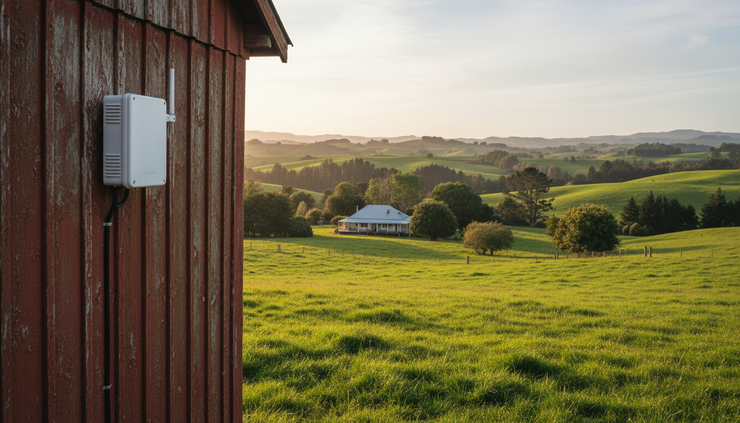
Long-range outdoor WiFi can connect sheds, sleepouts, and rural spaces
Outdoor WiFi needs a different approach from indoor WiFi. A standard router inside the house may not reliably cover a shed, workshop, sleepout, or outdoor camera, especially across a larger Northland property.
Long-range outdoor WiFi solutions may include:
Weather-rated outdoor access points
Point-to-point wireless links between buildings
Properly mounted antennas
Network cabling to outdoor areas
Separate coverage zones for specific buildings or spaces
A point-to-point wireless link can be useful when you need to connect a separate building without trenching a cable. One device is installed at the main house and another at the second building, creating a focused wireless bridge between the two.
This can be a practical solution for rural properties where the garage, shed, or sleepout sits too far away for normal WiFi to reach.
Outdoor WiFi should be installed carefully. Equipment needs clear line of sight where possible, safe mounting, weather protection, and correct setup. Poor placement can lead to weak performance, water damage, or unreliable connections.
When professional WiFi installation makes sense
Some WiFi problems are easy to fix. Others need proper testing and a planned solution.
Professional WiFi installation is worth considering if:
You have tried moving the router and still have dead spots
Your home has multiple floors or thick walls
You need WiFi in a sleepout, shed, garage, or outdoor area
You work from home and need reliable video calls
You have security cameras or smart home devices disconnecting
You are renovating or building and want the network done properly
You want a neat installation with hidden cabling where possible
Install IT provides WiFi installation Whangarei homeowners can use when they want a reliable, tidy, local solution. The team can assess your property, identify weak signal areas, and recommend equipment that suits the layout rather than guessing.
That might mean a better router location, a mesh WiFi system, one or more access points, an outdoor link, or a full professionally installed networking solution.
What a proper WiFi assessment should look at
A useful WiFi assessment is not just a quick look at the router. It should consider how the whole property is used.
Install IT can check:
Where the internet connection enters the home
Current router and equipment performance
Signal strength in different rooms
Known WiFi dead spots
Wall types and building layout
Number of floors
Outdoor areas needing coverage
Device usage and high-demand areas
Options for running network cables
Best locations for access points or mesh units
This helps avoid the common mistake of buying more equipment without solving the real problem.
For example, a homeowner might buy a mesh system to improve coverage in a rear bedroom. But if the mesh units cannot communicate well through thick walls, performance may still be poor. A wired access point in the right location may solve the issue properly.
Choosing the right WiFi solution for your home
There is no single best setup for every property. The right choice depends on the home, budget, internet use, and coverage goals.
Situation | Likely solution |
Small home with router in a poor spot | Reposition the router or improve cabling |
Medium home with a few weak rooms | Mesh WiFi system |
Large home with heavy internet use | Wired WiFi access points |
Multi-storey home | Access points on each level |
Rural property with detached buildings | Outdoor WiFi or point-to-point wireless link |
Renovation or new build | Planned cabling and professionally placed access points |
If you want better WiFi Northland wide, the best approach is to design the network around the property instead of hoping one router can do everything.
A good home WiFi setup should feel simple when it is finished. You should be able to move around the house and stay connected, stream without buffering, take work calls without dropouts, and use smart devices without constant reconnecting.
Why choose Install IT for WiFi solutions in Whangarei
Local knowledge matters. Homes and properties across Whangarei and Northland vary widely, from town houses and family homes to lifestyle blocks and rural properties with separate buildings.
Install IT understands these practical challenges and provides WiFi solutions Whangarei homeowners can rely on. Rather than offering a one-size-fits-all fix, Install IT can inspect the property and recommend a setup based on the actual coverage problem.
Install IT can help with:
WiFi coverage checks
Router placement advice
Mesh WiFi installation
WiFi access point installation
Network cabling
Outdoor WiFi solutions
Rural property WiFi
Shed, garage, and sleepout connectivity
Troubleshooting slow or unreliable WiFi
A professional installation can also make the end result cleaner. Cables can be run neatly, access points can be placed discreetly, and equipment can be configured correctly from the start.
Frequently asked questions about home WiFi in Whangarei
Why is my internet fast near the router but slow in other rooms?
This usually means your broadband connection is fine, but the WiFi signal is weak in parts of the home. Distance, walls, floors, and interference can all reduce signal strength. A WiFi assessment can confirm where the signal drops and what will fix it.
Will a stronger router fix WiFi dead spots?
Sometimes, but not always. A better router can help in smaller homes or where the current router is old. In larger homes, multi-storey homes, or properties with thick walls, mesh WiFi or access points may be a better solution.
Is mesh WiFi better than a WiFi extender?
Mesh WiFi is usually more reliable and easier to use than a basic extender. It creates one connected network across the home. Extenders can help in simple cases, but they often create slower or less stable connections if placed poorly.
Can I get WiFi in my shed or sleepout?
Yes, but the right method depends on distance, line of sight, and how the space will be used. Options include outdoor access points, network cabling, or point-to-point wireless links between buildings.
Do I need professional WiFi installers in Whangarei?
If you only need to move a router, you may not. If you have persistent dead spots, multiple floors, outdoor coverage needs, or a rural property, professional help can save time and give a more reliable result.
Get Better WiFi at Home with Install IT
Still struggling with WiFi dead spots, slow speeds or unreliable connections?
Install IT provides professional WiFi installation in Whangarei and throughout Northland, helping homeowners get reliable coverage where they actually need it.
Whether you need better WiFi in the house, a mesh WiFi system, additional access points, network cabling, or connectivity to a shed, garage, sleepout or outdoor area, we can assess your property and recommend the right solution.
Don’t keep buying WiFi equipment and hoping it fixes the problem.
Let us find out what’s actually causing the issue and design a solution around your home.
Need better WiFi?
Contact Install IT today for a free quote or WiFi assessment.


Comments